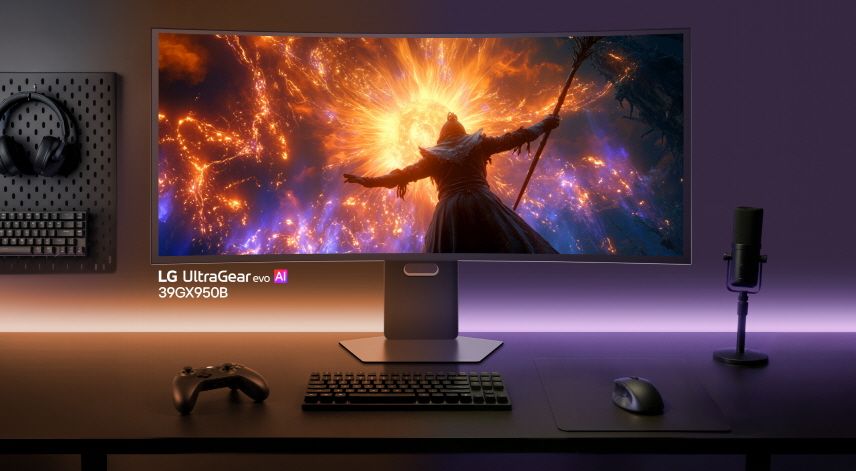
A recent discovery by a Reddit user has shed light on an intrusive practice where LG monitors silently install software through the Microsoft Store that displays third-party ads, including promotions for McAfee antivirus. Despite being a display-only device, the monitor’s accompanying utility prioritized advertisements over functionality, raising concerns about transparency and user consent in hardware-driven software installations.
How the Adware-Like Behavior Works
The issue surfaced when a user, u/t40r, connected a brand-new LG monitor to their PC. Within moments, a popup appeared on their desktop, seemingly unrelated to the monitor’s core function. The popup originated from the "LG Monitor App Installer," which had been automatically added to the system’s startup programs via the Microsoft Store. Unlike traditional hardware utilities that assist with configuration or performance, this app’s first interaction with the user was a McAfee advertisement.
The automatic installation mirrors tactics used by motherboard manufacturers, where system utilities are installed without explicit user consent during Windows setup or updates. However, the LG Monitor App’s immediate display of ads—rather than helpful features—crossed a line for many observers. Several users on Reddit reported similar experiences, including one who noted that Windows Update had silently installed LG’s software, triggering McAfee popups shortly afterward.
Why This Poses a Broader Problem
This incident isn’t isolated to LG. Comments from affected users indicate that other major manufacturers, including Alienware and Samsung, have also leveraged Microsoft Store installers to push bloatware or promotional content onto users’ systems. The common thread is the use of automated installers that bypass typical user oversight, often embedding themselves deeply into the operating system.
For users who prioritize a clean, ad-free experience—especially those running debloated versions of Windows—the implications are troubling. Even if the intent behind these auto-installs is to provide monitor-specific utilities, the lack of user control and the introduction of unrelated advertisements undermine trust. Microsoft’s recent scrutiny over telemetry practices further amplifies concerns about how such automated systems might be exploited for unintended purposes.
Steps to Remove the Unwanted LG Monitor App and Ads
Users affected by this issue can attempt to remove the LG Monitor App Installer and its associated popups using the following methods:
- Uninstall via Settings:
- Open Settings > Apps > Installed apps.
- Search for "LG Monitor App Installer" or "LG Smart Monitor" and select Uninstall.
- Disable Startup Entries:
- Open Task Manager (Ctrl+Shift+Esc) and navigate to the Startup tab.
- Locate the LG Monitor-related entry and disable it to prevent automatic launches.
- Group Policy Adjustment (Windows Pro/Enterprise):
- Open gpedit.msc and navigate to Computer Configuration > Administrative Templates > Windows Components > Microsoft Store.
- Enable the policy Turn off automatic download and install of updates to limit unwanted installations.
- Registry Tweak (All Windows Versions):
- Open regedit and navigate to
HKEY_LOCAL_MACHINE\SOFTWARE\Policies\Microsoft\Windows\Installer. - Create a new DWORD (32-bit) Value named DisableMSI and set its value to 1 to block automatic installer runs.
For users who prefer a more aggressive approach, running a system cleanup tool like Debloat Windows 10/11 or W10Privacy can help remove residual traces of manufacturer-installed software. Always back up critical data before making system-level changes.
The Bigger Picture: Manufacturer Software and User Autonomy
This incident underscores a growing tension between hardware convenience and software integrity. While utilities designed to enhance monitor performance are valuable, the practice of bundling ads or unrelated software without consent erodes user trust. Manufacturers must strike a balance between providing useful tools and respecting the user’s right to a clean, interruption-free experience.
As automated installations become more prevalent, transparency and user control should remain central design principles. Until then, vigilance and proactive system management remain the best defenses against intrusive software behaviors.
AI summary
Yeni LG monitörünüze McAfee reklamları geliyor mu? Microsoft Mağaza otomatik yüklemelerini engellemenin yolları ve benzer sorunları önlemek için ipuçları burada.