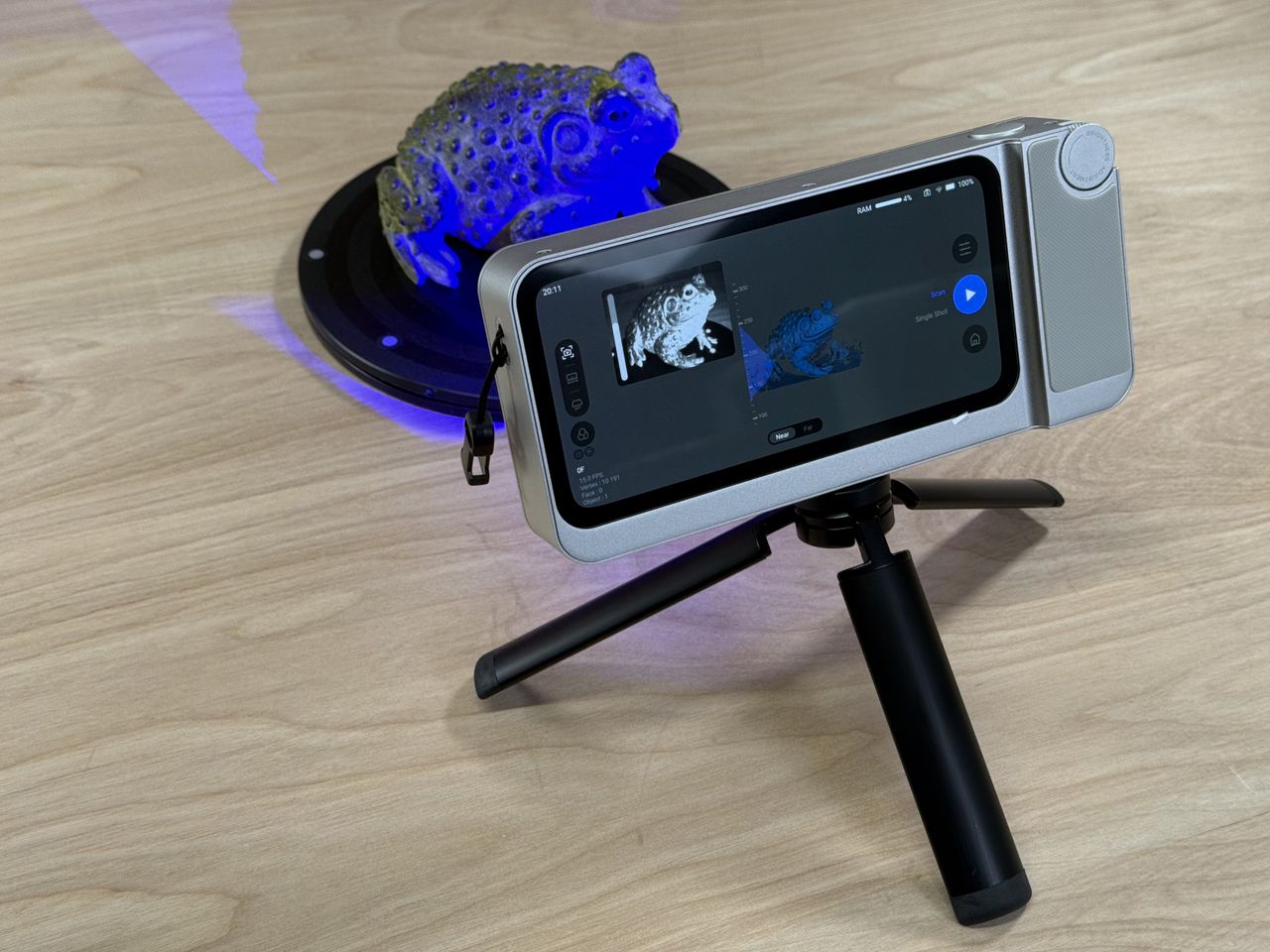
The 3D scanning landscape has long required users to tether devices to computers for processing, but the 3DMakerPro Toucan challenges that norm. This standalone scanner delivers a streamlined workflow from capture to export without relying on external hardware, making it an appealing option for hobbyists and professionals alike. However, its practicality hinges on resolving persistent software hiccups that emerged during testing.
A Self-Contained Design Prioritizing Portability
Built for convenience, the Toucan integrates all core scanning components into a single unit, eliminating the need for a secondary machine. Its sleek construction features a Class 3R laser, a category noted for balancing precision with safety, enabling rapid point cloud generation. The device’s compact form factor and intuitive placement of buttons and ports further enhance its usability, suggesting an emphasis on user experience in its design philosophy.
During evaluation, the scanner’s hardware delivered on its promise of quick data capture. The laser’s performance allowed for detailed scans in a matter of minutes, a critical advantage for users balancing speed and quality. Yet, the experience occasionally faltered when transitioning from hardware to software, where stability and output consistency became variables rather than guarantees.
Software Challenges Undermine Hardware Potential
While the Toucan’s physical build impressed, the accompanying software introduced friction points that disrupted workflows. Tracking inconsistencies emerged as a recurring issue, with the system occasionally losing alignment mid-scan. This instability forced users to restart captures, adding unnecessary time to projects. Additionally, exporting models via Wi-Fi proved unreliable, with frequent dropouts that interrupted the transfer process.
Texture quality presented another hurdle. The scanner’s color mapping often resulted in blurry or pixelated outputs, particularly when capturing high-detail surfaces. These artifacts limited the Toucan’s suitability for applications where texture clarity is paramount, such as art preservation or detailed prototyping. For users prioritizing accurate color representation, these shortcomings may outweigh the device’s standalone convenience.
Who Should Consider the Toucan?
The Toucan’s strengths align with specific use cases where its portability and self-contained design shine. For educators, students, or small studios needing a quick, low-maintenance scanning solution, the device offers a compelling entry point into 3D digitization. Its ability to operate without a computer also makes it attractive for fieldwork or on-site inspections where workspace flexibility is critical.
However, professionals requiring flawless texture fidelity or seamless post-processing may find the Toucan’s limitations prohibitive. The device’s hardware versatility is partially negated by software inconsistencies, which could demand additional troubleshooting or third-party tools to achieve desired results. For these users, traditional tethered scanners with robust ecosystems might still present a more reliable alternative.
The Path Forward for Standalone Scanning
The 3DMakerPro Toucan represents a step toward more accessible 3D scanning, but its current iteration highlights the challenges of balancing hardware innovation with software refinement. Addressing tracking stability, export reliability, and texture quality in future updates could elevate the device from a niche product to a mainstream tool. Until then, users must weigh its standalone convenience against the operational trade-offs introduced by its software quirks.
As the standalone scanning market evolves, the Toucan’s reception may serve as a benchmark for competitors aiming to deliver true plug-and-play functionality. For now, it remains a promising yet imperfect solution for those willing to navigate its current limitations in pursuit of portability.
AI summary
3DMakerPro Toucan bağımsız 3D tarama sunarken, yazılım sorunları ve bağlantı problemleriyle karşılaşabiliyor. Detaylı inceleme ve performans analizi burada.